
Emergency register planning
They are here.
Their name is not.
A person missing from the list is not the same as a person whose whereabouts are unknown. Test how your emergency register handles an unexpected name.
Separate two very different problems
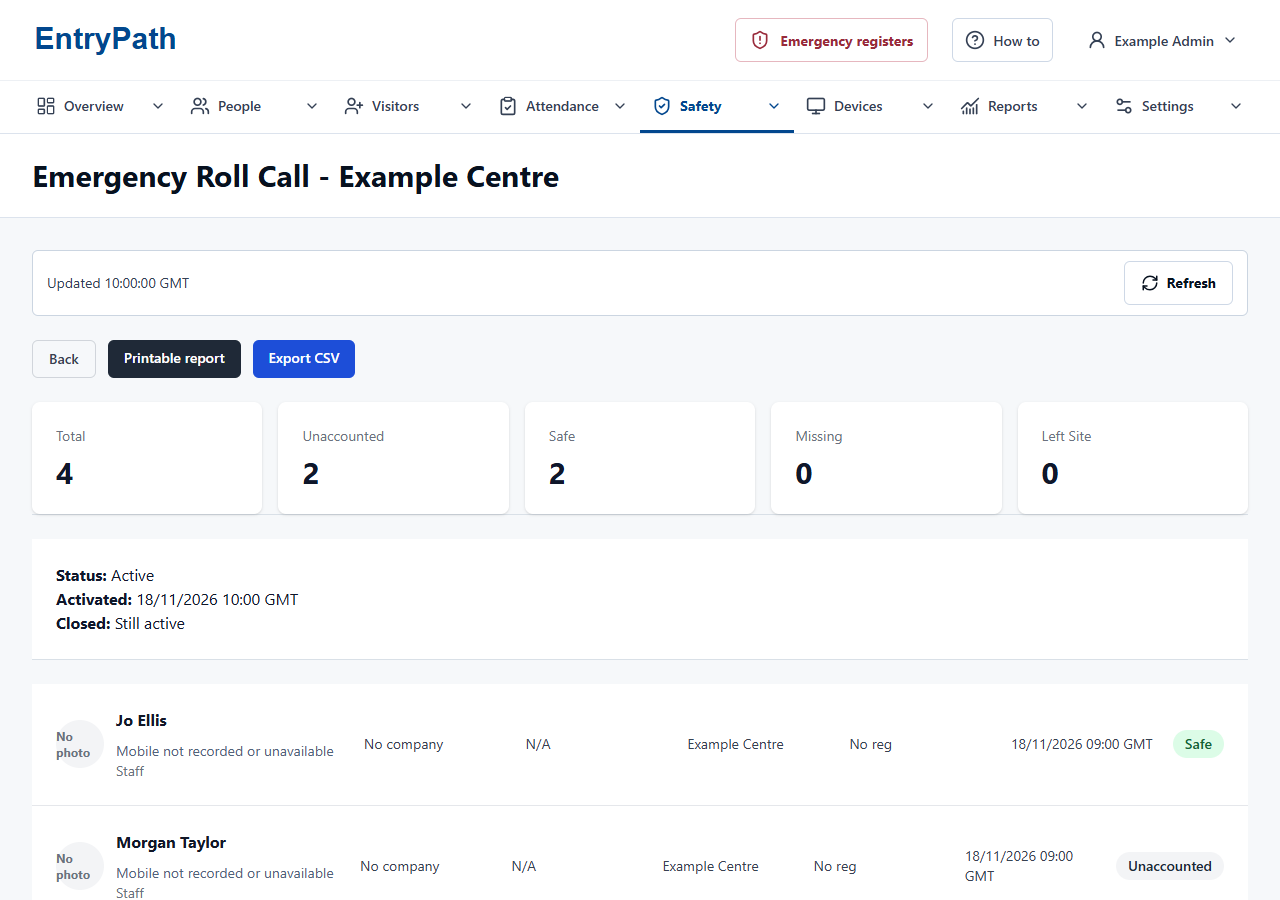
During a fictional drill, Taylor Example is standing at the assembly point but cannot be found in the filtered register. Elsewhere, Morgan Example is listed but has not been accounted for. Those situations need different recording and coordination.
This guide concerns missing names and register accuracy. It is not a missing-person search or rescue procedure. In an actual emergency, follow the site's approved plan and the responsible team's instructions; do not delay or improvise operational decisions to complete a screen.
Check the view before adding a person
Confirm the site and active incident. Clear any group, status or assembly-point filter that could hide the person. Search using the available identity information and check similar names. A name missing from one view may already exist elsewhere in the same register.
For school records, check whether you are viewing a selected group or school-session source. The MIS guide explains why roster membership, a session mark and an emergency confirmation are separate pieces of information.
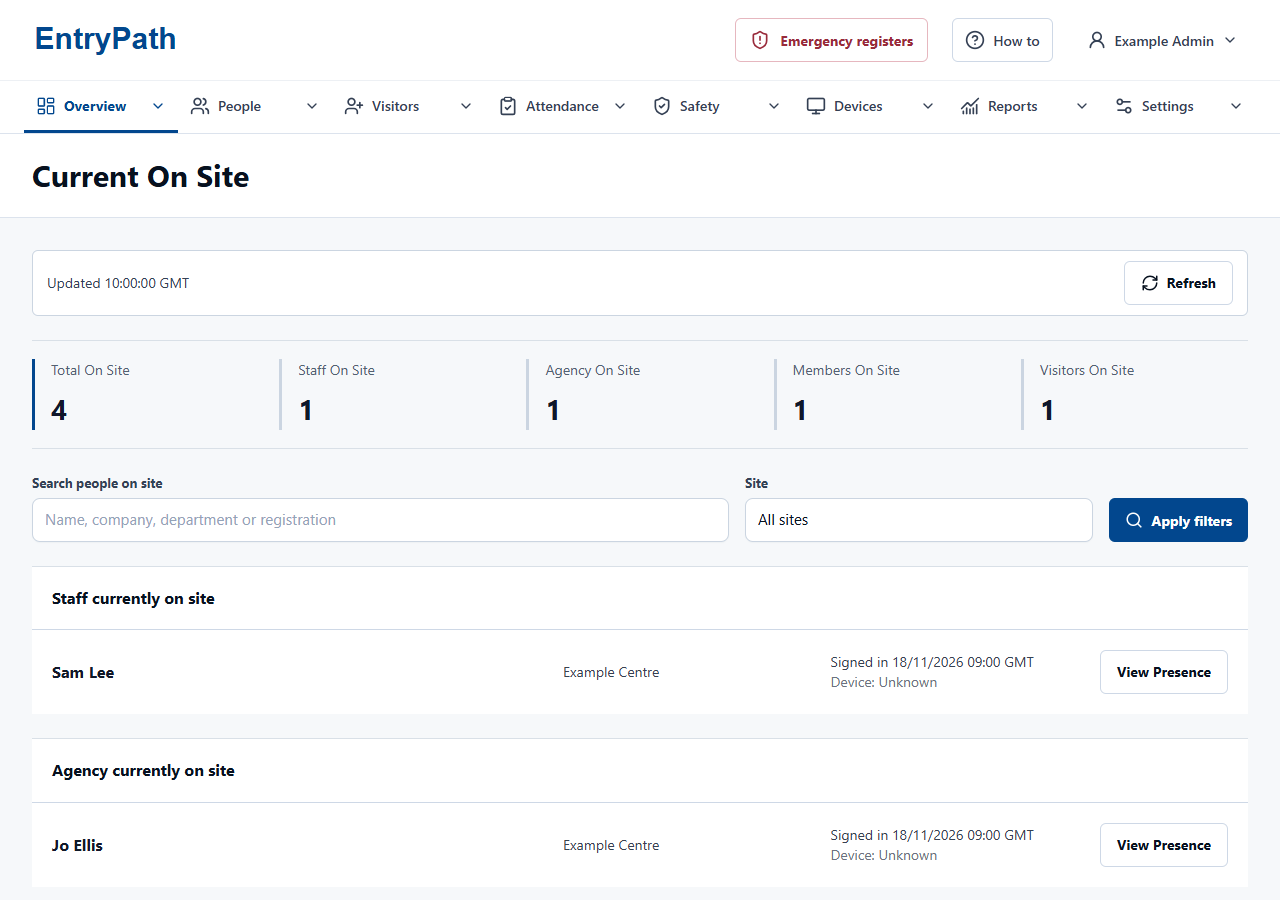
Check identity without collecting unnecessary detail
Use the site's established identification process. Ask enough to distinguish the right person, but do not collect unrelated sensitive information in a free-text note. A shared first name or similar spelling is not enough to merge two people.
If a known person record exists, review it before making a duplicate. If the identity remains uncertain, communicate that uncertainty to the responsible coordinator rather than turning a guess into a confirmed fact.
Use the authorised add-to-register workflow
- Search: review possible existing matches in the incident and available records.
- Identify: establish who the person is under the site's procedure.
- Review: check the proposed details and avoid a duplicate.
- Record: use an authorised emergency device, then verify the resulting entry and decision.
EntryPath allows existing authorised emergency devices to add somebody missing from an active register after review. That is not a general invitation for visitors to create emergency records or a grant of new staff permissions.
Test the case across two devices
A fictional drill
Two colleagues search for Taylor at the same time. One adds the reviewed person. The other refreshes and checks for the new entry before attempting another addition.
Look for a single clear person record and understandable feedback. Then rehearse a similar-name case where two genuinely different people must remain separate. Use connected devices; offline copies do not accept additions or share new information.
Find the cause after the event
Was the missing name caused by a missed sign-in, an incorrect group, a stale school source or an unclear arrival process? Record the observed cause and assign the appropriate follow-up. Do not automatically rewrite historic attendance simply to make the drill report look tidy.
Use the debrief guide to turn the exception into a reviewed improvement. Check the roll-call workflow alongside your independent fallback so an unavailable connection does not leave staff relying on an incomplete screen.
Keep exploring
A useful next read.
The right person. A different assembly point.
What to rehearse when somebody reaches a different point from the one planned.
Read the guideLate arrivals. Early departures. Clearer records.
Plan the office handover when the school day changes after registration.
Read the guide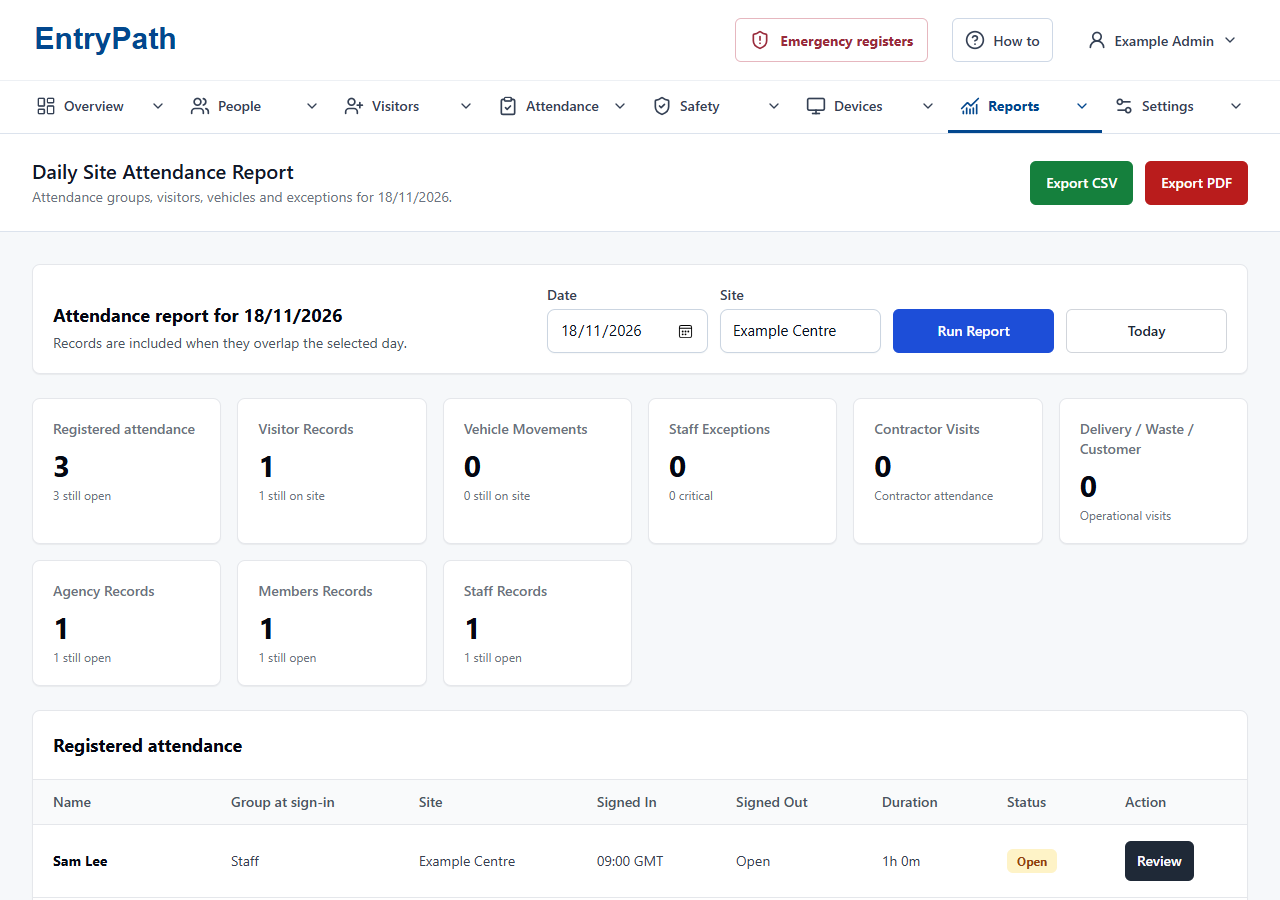
The drill is over. What did you learn?
Turn register exceptions into specific actions with owners and a useful retest.
Read the guideTest more than a perfect register.
Include missing names, similar identities and shared-device updates in your demo.