
Staff sign-in
Staff sign-in & attendance
Keep a clear arrival and departure record for employees and agency workers. Give reception and authorised managers a shared view of who is on site.
Example journey
Jo starts an agency shift
- At the kiosk
- Jo Ellis scans their individual QR pass and confirms sign-in.
- On-site register
- Jo EllisAgency staff · East Depot · Signed in at 06:45
- Shift ends
- Jo scans their pass again and confirms sign-out. Their attendance record now shows when the shift ended.
One place for the people who keep you moving.
Less friction.
More visibility.
- Staff and agency groups
- Optional printable QR passes
- Replace lost passes
- Attendance reports by site
How it works
Familiar sign-in
People can find their name on an enabled kiosk. Optional individual QR passes offer another route: scan, check the name and status, then confirm the action.
Agency teams included
Keep agency staff and providers identifiable without treating every person as a permanent employee. Manage records and access around your sites.
Reports you can use
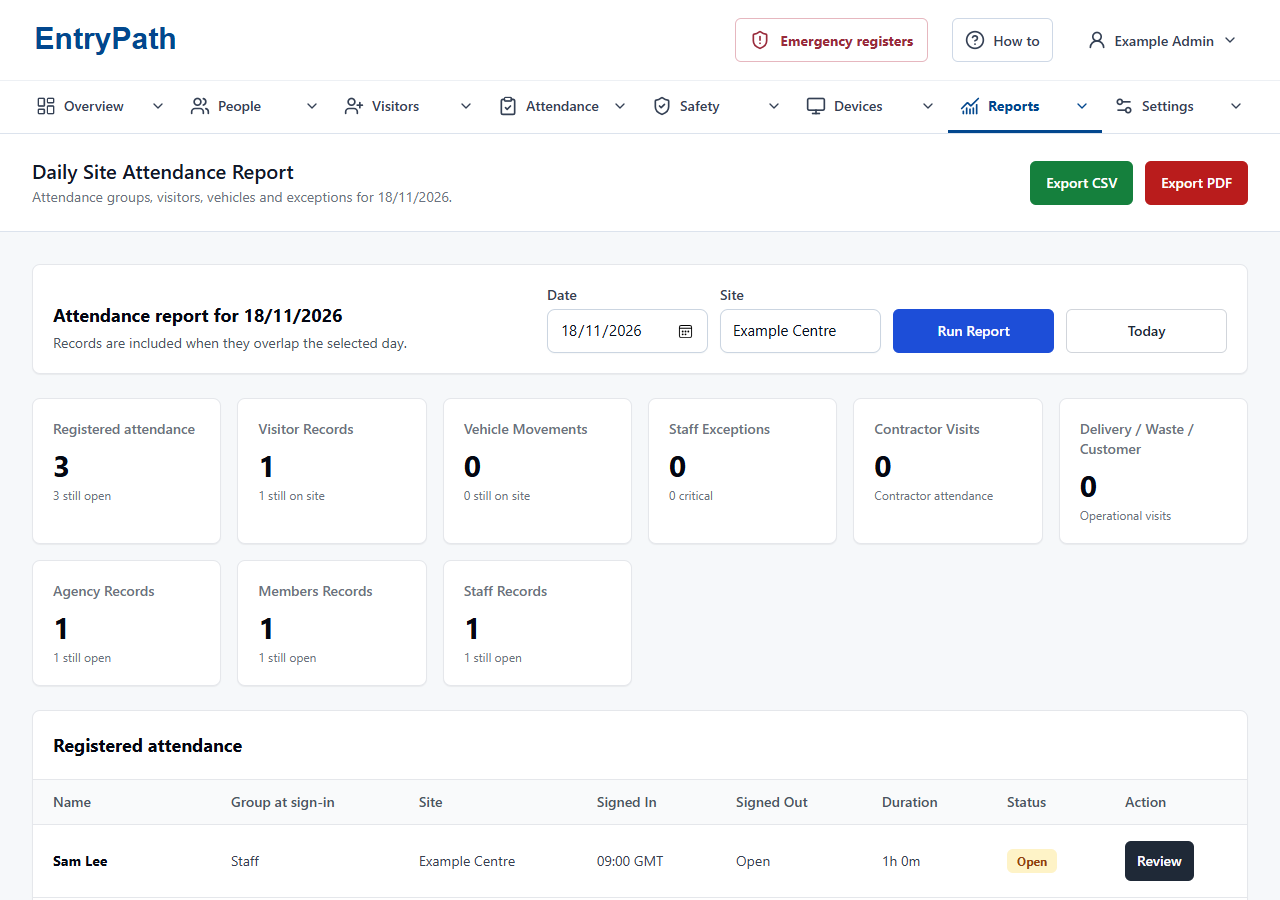
Filter attendance by group, site and date, then export CSV or PDF reports. Site-restricted accounts remain limited to the sites assigned to them.
Inside EntryPath
From arrivals to a useful record.
Review attendance by site, group and date, then export the records your role permits.
Your questions
A closer look.
Does a repeated QR scan sign someone out again?
No. Each scan shows the person's name and status, then asks them to confirm sign-in or sign-out. Scanning twice will not reverse their attendance by itself.
Is EntryPath a payroll system?
No. EntryPath records attendance and provides exports. Payroll calculations and employment policies remain separate.
See how EntryPath fits your site.
See the sign-in journeys, attendance views and controls that fit your organisation.