
Security & control
Security & control
Choose what information you collect, who can see it and how it is managed across your sites.
Collect what you need
Set visitor fields to hidden, optional or required, so your sign-in process asks for the information your organisation needs. Add your own privacy notice to explain how that information is used.
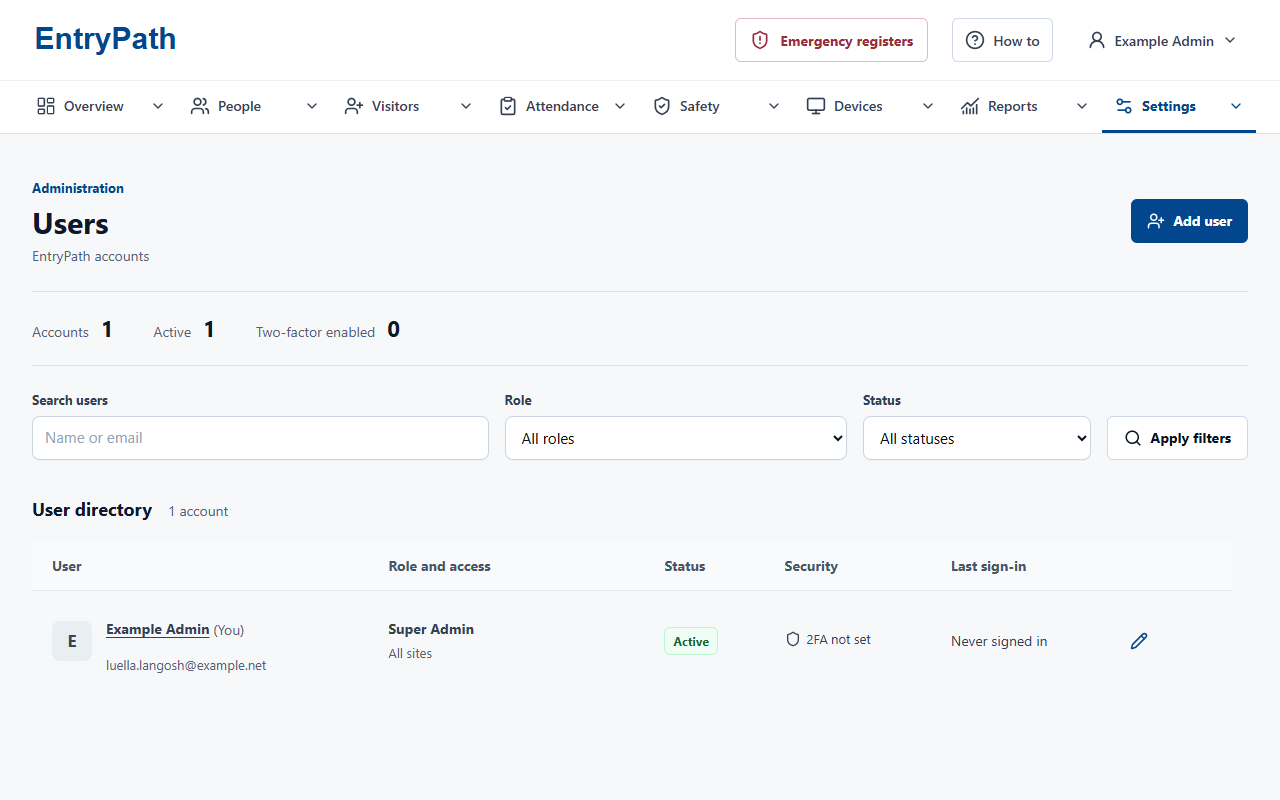
Limit access by role and site
Give reception, local managers and central teams the access they need. Keep records limited to the right sites, and choose who can use emergency roll call.
Plan retention and recovery
Choose retention, storage and backup arrangements that suit your organisation. Include a recovery test in your rollout so your team knows how records would be restored.
Fit your organisation
Plan the hosting, email and support that fit your organisation. Your proposal sets out these arrangements and any additional work before you commit.
Use EntryPath alongside your organisation's data-protection and emergency procedures. A working network connection is required; keep a tested alternative for connectivity or power loss.
Inside EntryPath
Access with a clear purpose.
Match accounts to their responsibilities and assigned sites.
Questions about security?
See the sign-in journeys, attendance views and controls that fit your organisation.