
Custom groups
Custom attendance groups
Keep Staff and Agency, then add the groups your organisation needs. Students, members or other regular attendees can have their own name, fields and attendance rules.
Example journey
A pupil joins the register
- Group setup
- The school office enables the Pupils group at its kiosk and turns off self-sign-out.
- School office
- Maya Shah arrives after registration and signs in under Pupils.
- On-site register
- Maya ShahPupils · Signed in at 09:18
The right journey for every group.
Less friction.
More visibility.
- One attendance group per person
- Company and agency details
- Details that fit your group
- Group-specific self-sign-out rules
How it works
Use your own terminology
Create the groups that match your organisation. Keep them visible under their own names in the on-site view and group attendance reports.
Control kiosk access
Choose which sites and kiosks each group can use, and whether people in that group may sign themselves out.
Keep records relevant
Keep useful details such as class or membership number with each person's record. Give local managers access to the people at their sites.
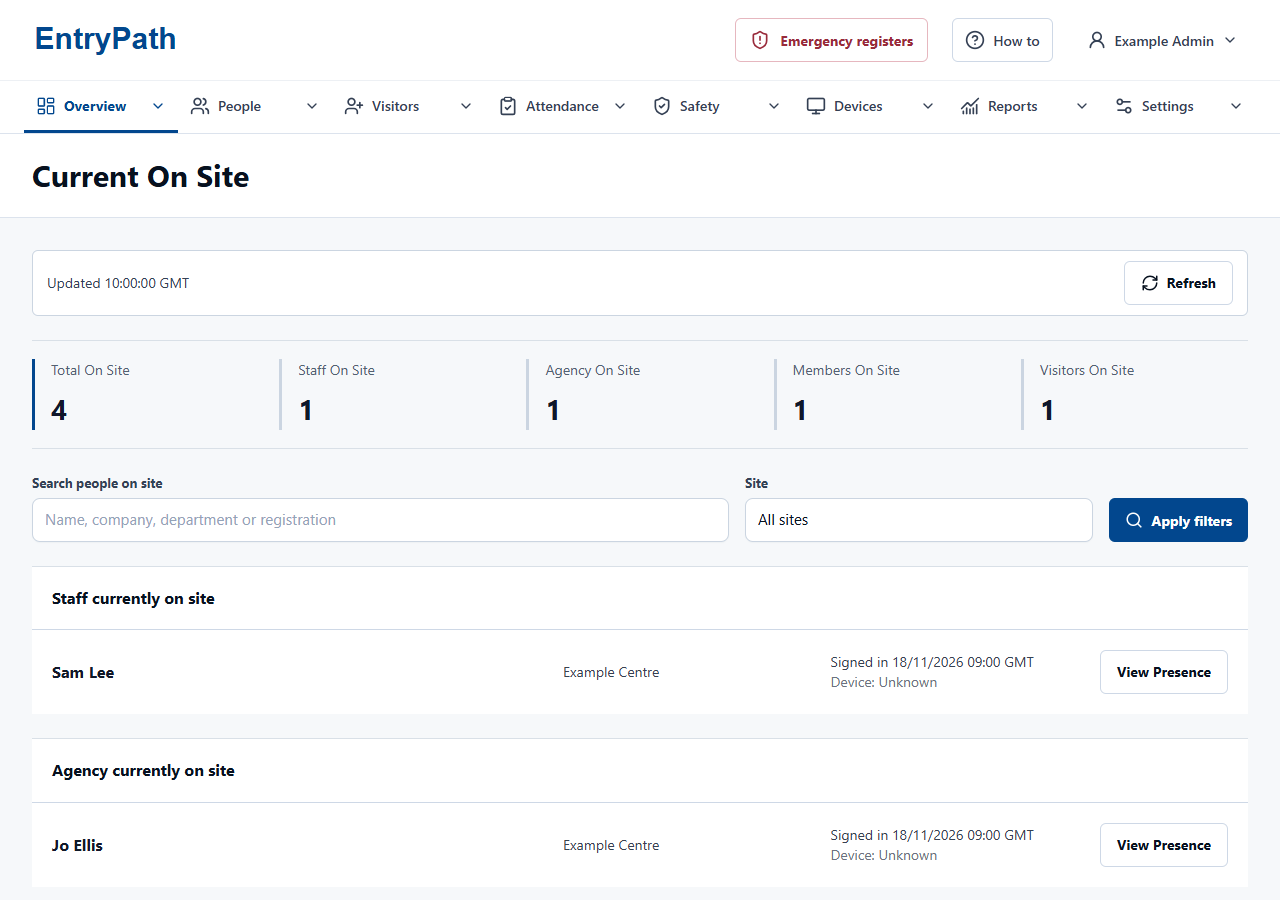
Inside EntryPath
Your groups, visible by name.
Keep visitors, staff, agency teams and your custom groups recognisable in the same on-site view.
Your questions
A closer look.
Can students be prevented from signing themselves out?
Yes. Self-sign-out is controlled by the group rules. Optional QR passes must respect the same restriction.
Will changing a group replace our staff records?
No. Add groups alongside Staff and Agency, with their own names and rules. Your existing people stay in their current groups.
See how EntryPath fits your site.
See the sign-in journeys, attendance views and controls that fit your organisation.