
Connectivity planning
When the connection goes,
what can you still see?
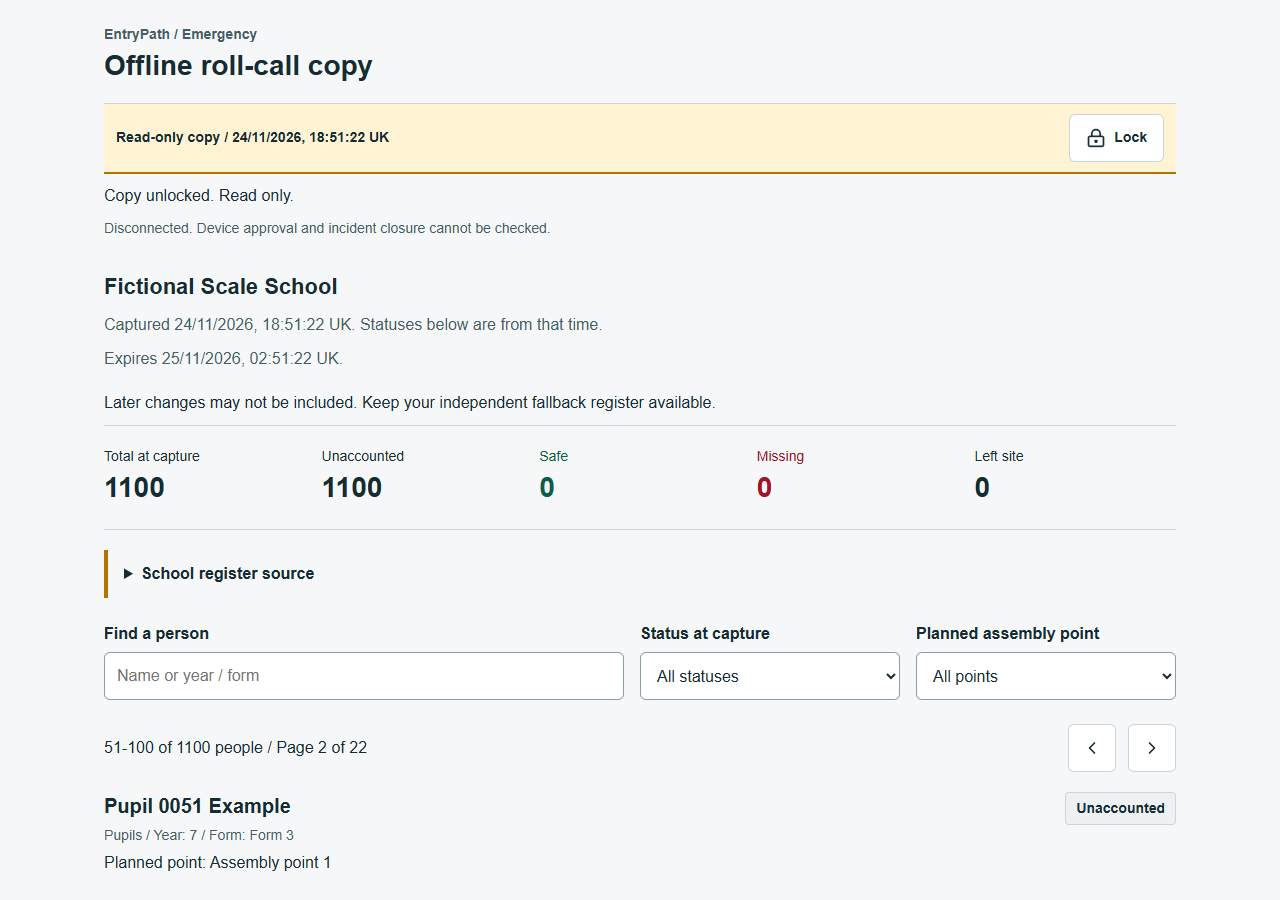
A saved emergency register can help you read the last captured information. It is not a live roll call. Plan that distinction before relying on a phone or tablet outdoors.
Distinguish live, saved and independent records
Connected register
Authorised devices can receive current shared information and record decisions while the connection works.
Protected offline copy
A previously saved register shows information at capture time. It is read-only and cannot receive later updates while disconnected.
Independent fallback
Your site's agreed alternative must remain available when the device, account, connection or saved copy cannot be used.
These are different tools, not three equivalent sources. The responsible emergency team should decide how each fits the site's procedure. A saved copy does not make an incident fully offline-capable.
Test at the actual assembly points
A successful connection at reception says little about the far end of a yard. During a planned test, use the normal devices and authorised accounts at the real locations. Check whether updates arrive, whether staff recognise connection loss and how they contact the coordinator.
Do not test by disrupting a live incident or changing the site's network without approval. Record where the expected connection is unavailable and agree the independent alternative with the responsible team.
Prepare a protected copy deliberately
EntryPath offline viewing requires approval for the emergency device and a separate unlock passphrase. A copy must have been saved while connected. Before a rehearsal, check the incident, site, capture time and expiry rather than assuming yesterday's page is useful today.
The copy locks when the page is hidden or after five minutes idle and expires after eight hours. Practise unlocking on the intended device without exposing the passphrase. A lost or unusable device is a reason to use the fallback, not to remove the safeguards.
Be explicit about what cannot change offline
Offline viewing cannot confirm somebody, add a missing person or receive another lead's latest decision. It also cannot immediately receive a revocation or incident-closure update. A visible name or status therefore describes the captured information, not the current incident.
Never promise that offline edits will synchronise later: EntryPath does not provide offline editing. Record and communicate decisions through the site's agreed alternative process during a connection failure.
Reconcile the picture when connected again
A useful rehearsal
A device saves a fictional register at 10:05 and loses its connection. Another connected lead confirms a person at 10:07. Ask the offline user which version they can see, then reconnect and compare with the live register.
The exercise should reveal the stale-copy distinction clearly. Do not overwrite a current decision merely because it differs from the saved copy. The responsible team must review any separate notes under its procedure.
Check readiness before the next drill
Use this alongside your emergency plan, not instead of one. The assembly-point guide and school checklist cover related register scenarios. Official UK guidance addresses the wider evacuation arrangements.
Keep exploring
A useful next read.
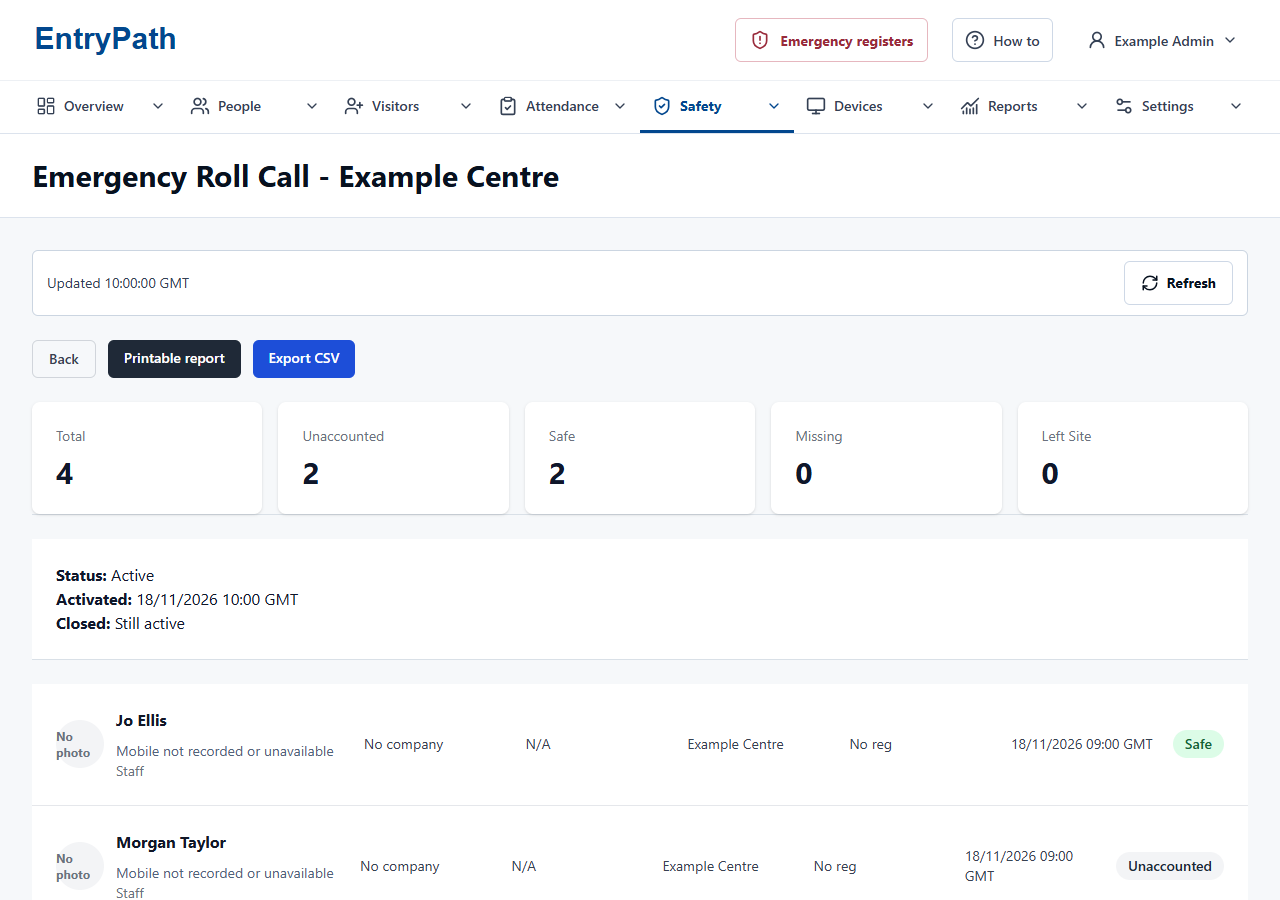
The right person. A different assembly point.
What to rehearse when somebody reaches a different point from the one planned.
Read the guideThe school evacuation roll-call checklist
Rehearse school-session data, missing names, different points and connection loss.
Read the guide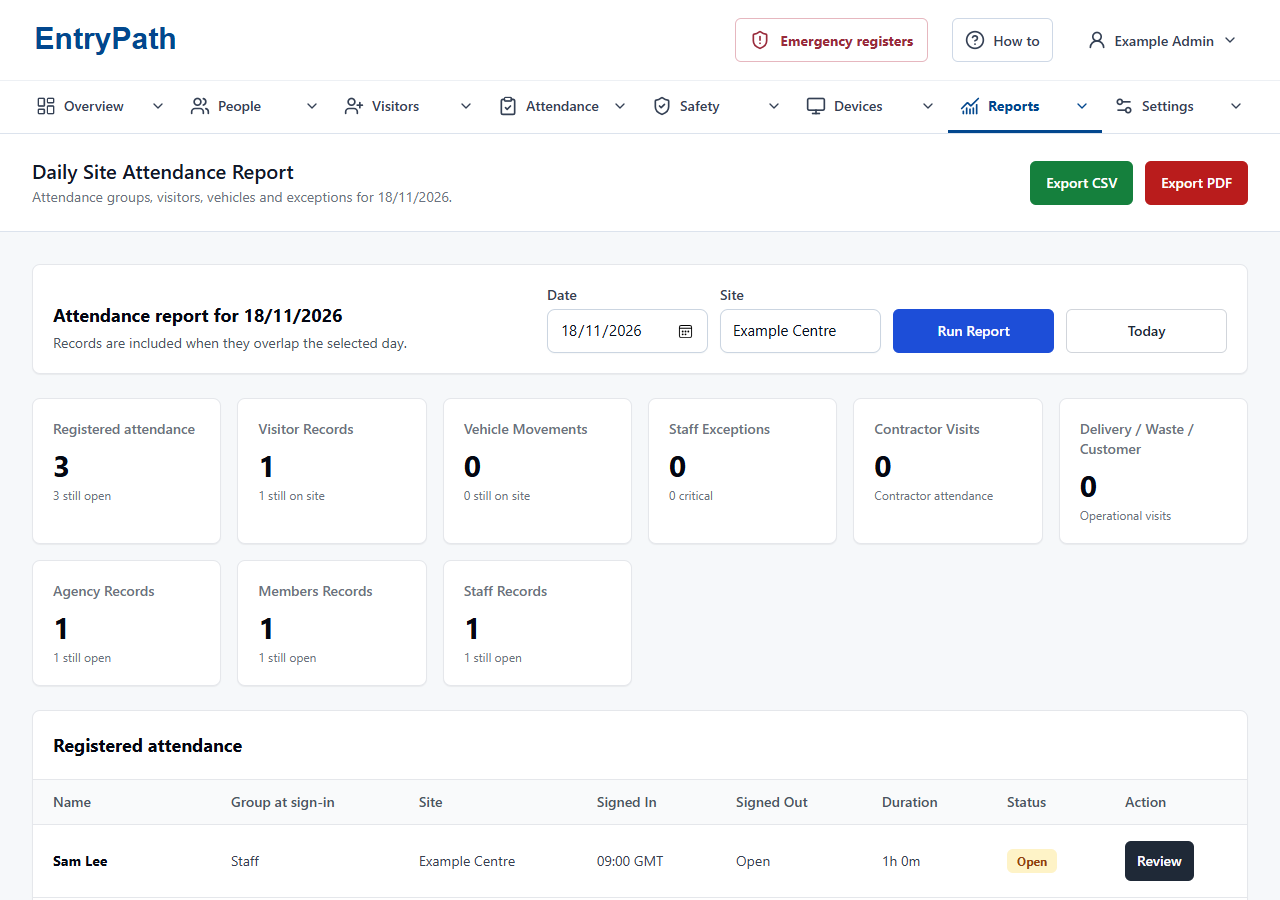
The drill is over. What did you learn?
Turn register exceptions into specific actions with owners and a useful retest.
Read the guideSee the difference before a drill.
Explore live roll call and a protected, timestamped saved register.